Stop Relying on Your Router for a Better Gaming Experience

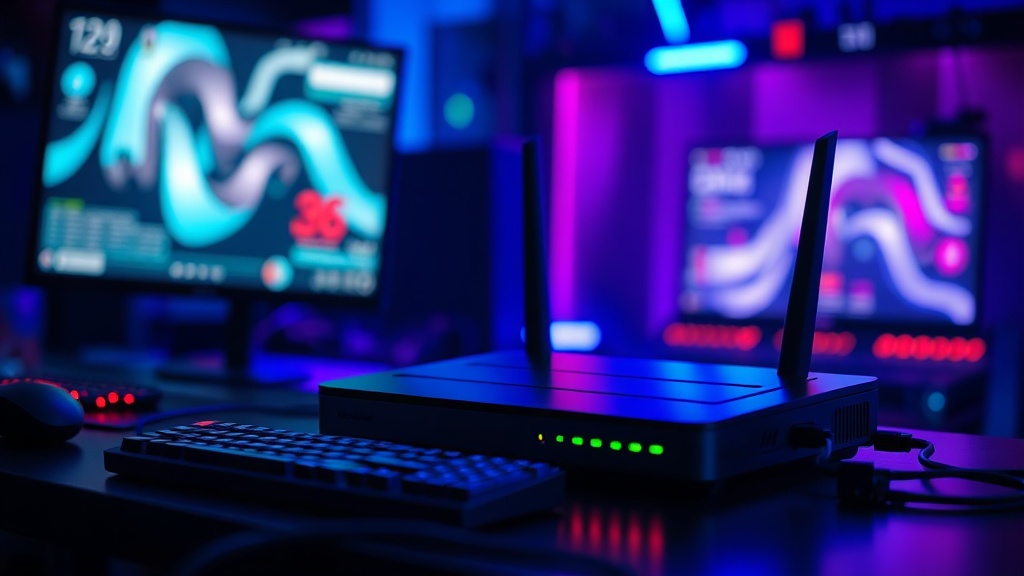
You’re mid-raid in a high-stakes match when your character suddenly freezes, or worse, you get disconnected entirely. You check your router—it’s a shiny, $400 "gaming" model with RGB lights and six antennas—but the lag persists. This happens because most gamers mistake raw bandwidth for low latency. This guide breaks down why your expensive router isn't a magic fix for lag, how to identify the real bottlenecks in your hardware, and the specific technical changes that actually lower your ping.
Why Does My Ping Spike During Online Gaming?
Ping spikes occur when your network experiences jitter, packet loss, or high latency caused by congestion or physical interference. It isn't always about how much speed you pay your ISP for; it's about the stability of the path your data takes. A 1Gbps connection with high jitter is much worse for gaming than a 100Mbps connection with a rock-solid, stable ping.
Most "gaming routers" are just standard consumer hardware with a higher price tag and a different UI. They use marketing terms to hide the fact that the internal processor is often underpowered. When you have multiple devices—phones, smart TVs, even a smart fridge—fighting for airtime on a single frequency, your gaming packets get stuck in line. This is known as "bufferbloat." It's a phenomenon where a router's memory buffers too much data, causing massive delays in real-time applications.
I've seen dozens of these "pro-gamer" routers fail basic stress tests in my lab. They look great on a shelf, but the moment a heavy download starts on a laptop in the next room, the gaming latency goes to hell. If you've ever wondered why your laptop performance tanks under heat, you might be dealing with similar systemic issues with your network hardware. Check out my deep dive on thermal throttling to understand how hardware limitations affect real-world performance.
The real culprit is often the wireless environment. Wi-Fi is half-duplex, meaning it can only send or receive data at one time—never both simultaneously. Every time your phone checks for an update or your roommate starts a 4K stream, your gaming packets have to wait. Even with "Wi-Fi 6" or "Wi-Fi 6E," you are still fighting the laws of physics and radio interference.
Is a Wired Ethernet Connection Better Than Wi-Fi?
A wired Ethernet connection is significantly more stable and provides lower latency than any wireless connection currently available. While high-end Wi-Fi 6E systems are impressive, they cannot match the consistent, zero-interference reliability of a physical Cat6 or Cat6a cable. For competitive gaming, a wire isn't just a suggestion; it's a requirement.
Here is the reality of the hardware: Wi-Fi is subject to "jitter," which is the variation in time between data packets arriving. In a game, a steady 40ms ping is much better than a ping that bounces between 20ms and 100ms. Ethernet provides a dedicated, full-duplex path that doesn't care about your neighbor's microwave or your neighbor's heavy Netflix usage.
| Feature | Standard Wi-Fi (5GHz/6GHz) | Wired Ethernet (Cat6) |
|---|---|---|
| Latency (Ping) | Variable/Higher | Lowest/Consistent |
| Packet Loss Risk | Moderate to High | Extremely Low |
| Interference Sensitivity | High (Walls, Electronics) | Negligible |
| Ease of Setup | High (No cables) | Low (Requires cabling) |
If you are serious about your setup, stop trying to "optimize" your Wi-Fi settings. You can't out-software a physical limitation. If you can't run a long cable through your walls, look into Powerline Adapters or MoCA (Multimedia Coax) adapters. They aren't perfect, but they are often more stable than a budget Wi-Fi signal.
The Problem with "Gaming" Features
Don't fall for the "Quality of Service" (QoS) marketing. Many manufacturers claim their routers have "Smart QoS" that prioritizes gaming traffic. In my testing, many of these implementations actually introduce more latency because the router's CPU has to work harder to inspect every single packet to decide where it goes. It's an extra step that adds processing time.
Unless you are using a high-end enterprise-grade router, your "gaming mode" is likely just a way to sell you a more expensive chipset. Most of the time, a simple, high-quality wired connection will outperform a "gaming-optimized" wireless signal every single time.
How Do I Reduce My Gaming Lag Effectively?
To reduce gaming lag, you should prioritize a wired connection, optimize your router's placement, and minimize the number of devices on your primary network frequency. This involves a combination of physical hardware changes and smart network management.
- Use an Ethernet Cable: This is the single most effective step. Even a cheap $10 Cat5e cable is better than a $500 Wi-Fi router.
- Disable Unnecessary Features: Turn off features like UPnP or certain "security" suites on your router if they are causing CPU spikes.
- Check Your DNS: While DNS doesn't affect in-game ping directly, it affects how fast your client connects to servers. Try using Google Public DNS or Cloudflare (1.1.1.1) to see if it improves initial handshake speeds.
- Manage Bandwidth Hogging: Limit the number of high-bandwidth devices (like 4K streaming boxes) on your network during peak gaming hours.
- Update Firmware: Only do this if the current version is buggy. Sometimes, a new firmware can fix a known packet loss issue.
One thing to note: if you are using a laptop, make sure your network card drivers are actually up to date. I've seen users with incredible internet speeds struggle because they were using a generic Windows-provided driver instead of the one from the manufacturer (Intel or Realtek).
The hardware-centric approach is often more effective than the software-centric one. If you find your network is constantly bogged down by large file transfers, you might actually have a storage-related bottleneck. If you're moving massive files across your local network, check out my post on why a dedicated NAS is necessary for heavy media users. It keeps the traffic off your main gaming machine's local bandwidth.
It's also worth mentioning that your ISP might be the issue. If your router is fine, but your signal to the modem is erratic, no amount of expensive hardware will fix it. Use a tool like Wireshark if you want to get technical and see exactly where the packets are dropping. It's a steep learning curve, but it's the only way to see the truth behind the "gaming-optimized" lies.
Don't spend more money on a "gaming" router if you are still playing on Wi-Fi. You're just buying a prettier box that will still fail you when the microwave turns on. Fix the physical layer first. Use a wire. It's boring, it's not flashy, and it doesn't have RGB, but it actually works.