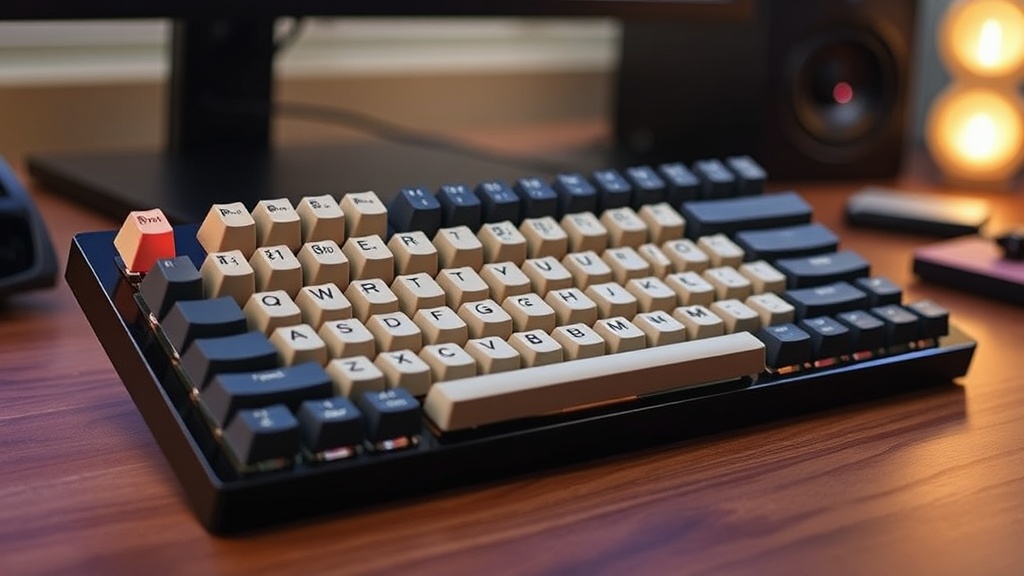
Build a Custom Mechanical Keyboard for the Perfect Typing Experience

Are you tired of the mushy, hollow typing experience that comes with standard off-the-shelf mechanical keyboards? This guide breaks down the components required to build a custom mechanical keyboard from the ground up, focusing on build quality rather than marketing buzzwords. We'll look at the technical differences between switches, the engineering behind plate materials, and how to avoid the common pitfalls of cheap, mass-produced peripherals.
What Components Do I Need to Build a Keyboard?
Building a custom mechanical keyboard requires five core components: a case, a PCB (Printed Circuit Board), a plate, switches, and keycaps. If you skip the PCB, you don't have a keyboard; if you skip the plate, your switches won't have any stability. Most beginners make the mistake of buying a "pre-built" kit that uses cheap, unlubricated components, which is exactly why your current keyboard feels "cheap."
The Case is your foundation. You'll see options in ABS plastic, aluminum, or even polycarbonate. Aluminum provides weight and a premium feel, but it can also transmit more vibration if the internal components aren't dampened correctly. Plastic is lighter and cheaper, but it can feel "hollow" if the manufacturer didn't bother with internal acoustic foam.
The PCB is the brain. It translates your keystrokes into digital signals. You need to decide between a "hot-swappable" PCB or a "solderable" one. If you want to avoid a soldering iron, go hot-swappable. It's much easier for a first-timer. Just be warned—some cheap hot-swap sockets are prone to breaking if you aren't careful with the pin alignment.
The Switches are where the engineering really matters. This is where most "gaming" brands lie to you about "speed." A switch is just a spring, a stem, and a housing. The way those parts interact determines the sound and the feel. You can choose between:
- Linear Switches: Smooth movement from top to bottom. Great for gaming where you want zero resistance.
- Tactile Switches: A physical "bump" you can feel when the key actuates. Perfect for typing accuracy.
- Clicky Switches: A tactile bump accompanied by a sharp, audible click. These are loud—don't use them in an office unless you want to be the most hated person in the room.
The Plate sits between the switches and the PCB. It provides structural integrity. While many boards use steel or aluminum, many enthusiasts are moving toward FR4 or even carbon fiber to change the typing feel. A stiffer plate means a more consistent, "hard" feel; a more flexible plate allows for a "softer" typing experience.
Finally, the Keycaps. Don't settle for the thin, translucent plastic found on most "budget" gaming boards. Look for PBT (Polypropylene Butyl Terephthalate) rather than ABS. PBT is more resistant to the "shine" that develops over time as the oils from your skin wear down the plastic. It's a small detail, but it's the difference between a board that looks new for years and one that looks greasy after three months.
How Much Does a Custom Keyboard Cost?
A high-quality custom keyboard typically costs between $150 and $400 depending on the materials used. You can find entry-level kits for under $100, but you'll likely be paying for mediocre switch quality and subpar stabilizers. The price usually scales with the complexity of the case and the premium nature of the switches and keycaps.
Here is a breakdown of the typical cost tiers you'll encounter in the market:
| Tier | Price Range | Typical Materials | Experience |
|---|---|---|---|
| Budget | $50 - $100 | ABS Plastic, cheap switches | Standard "gaming" feel; high vibration. |
| Mid-Range | $150 - $250 | Aluminum or thick Polycarbonate, PBT keycaps | Noticeable improvement in sound and stability. |
| $350+ | CNC Aluminum, high-end brass/FR4, boutique switches | Exceptional acoustics and "thocky" sound profile. |
It's worth noting that "premium" doesn't always mean "better." I've seen $500 keyboards that sound worse than a $150 kit because the designer focused on the aesthetic rather than the internal acoustics. Always look for reviews that mention "typing feel" or "acoustic profile" rather than just "RGB lighting."
How Do I Choose the Right Switches for My Needs?
The best switch is the one that matches your specific typing or gaming style. There is no objective "best" switch, only the one that fits your tactile preference. If you are a heavy-handed typist, you might want a switch with a higher actuation force to prevent accidental presses. If you are a gamer, you might prioritize a lower actuation force for rapid-fire inputs.
When looking at switches, pay attention to the Spring Weight. A heavier spring requires more force to press, which can reduce fatigue during long typing sessions but might slow down your reaction time in fast-paced games. For a deeper dive into the physics of mechanical switches, you can check out the technical documentation on mechanical keyboard mechanics on Wikipedia.
One thing I've noticed in my QA days: many brands claim "optical switches" are inherently better because they use light instead of metal contacts. While they are technically faster and more durable, the "feel" is often much worse because they lack the physical feedback of a traditional mechanical switch. Don't let the "speed" marketing fool you—if you want a good typing experience, stick to high-quality mechanical switches.
If you're already worried about your hardware performance, you might be dealing with latency issues elsewhere. If your peripherals are fine but your connection feels sluggish, check out my previous post on improving your network experience to ensure your lag isn't coming from your router.
A common mistake is ignoring the Stabilizers. These are the parts that keep your larger keys (like the Spacebar or Shift) from wobbling. If your stabilizers are poorly made or unlubricated, your keyboard will rattle and sound terrible, no matter how expensive your switches are. I always recommend buying a small tub of Krytox 205g0 lubricant. A little bit of grease on the stabilizer wires can eliminate that annoying "clack" that ruins a high-end build.
The truth is, most people don't need a $500 keyboard. A well-built, mid-range kit with a solid aluminum case and a decent set of PBT keycaps will outperform almost any "gaming" brand name board. Most of those brands are just selling you a cheap plastic shell with a fancy logo and overpriced RGB lighting. Focus on the parts that actually touch your fingers—the switches and the keycaps—and you'll get a much better return on your investment.
When you're selecting your components, don't just trust the "pro gamer" endorsement. Most of those people are using whatever was sent to them by a sponsor. Instead, look at the technical specs. Check the material thickness, the weight of the case, and the specific model of the switches. If a company doesn't list the switch-to-plate mounting style or the PCB type, they are likely hiding a low-quality build under a layer of marketing fluff.
The goal isn't to have the most expensive board on the desk. The goal is to have a tool that responds exactly how you want it to. Whether that's a tactile, heavy-hitting board for coding or a smooth, fast linear board for gaming, the control is in your hands when you build it yourself.