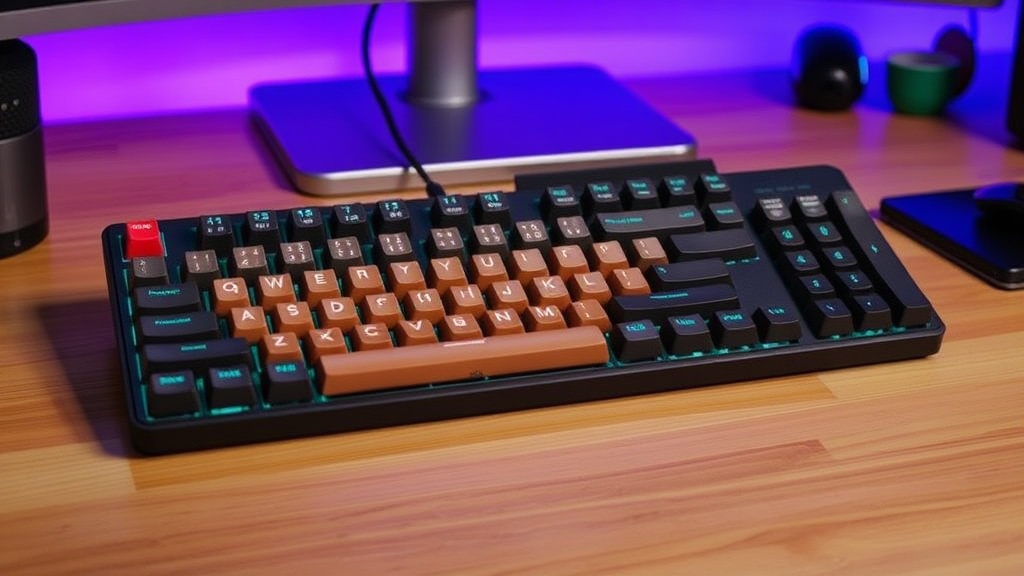
7 Best Mechanical Keyboards for Small Desks

The Best 60% Keyboard for Minimalists
The Best High-End Custom Option
The Best Budget Compact Keyboard
The Best Wireless Compact Keyboard
The Best TKL for Productivity
The Best Gaming Compact Keyboard
The Best Travel-Friendly Keyboard
Marketing departments love to claim that "compact" is synonymous with "minimalist," but for many users, a smaller keyboard is actually a trade-off in functionality and ergonomics. The common misconception is that you have to sacrifice your productivity or your comfort to save desk real estate. In reality, moving to a smaller form factor—like a 60%, 65%, or 75% layout—is an engineering decision that can actually improve your workflow by reducing the distance your hand travels to reach common keys. This guide evaluates seven mechanical keyboards designed for small footprints, focusing on build quality, switch reliability, and whether the footprint justifies the loss of certain keys.
When evaluating these boards, I don't care about the RGB lighting or the "aesthetic" keycap sets. I look at the PCB quality, the stabilization of the larger keys, and whether the manufacturer cut corners on the housing to save a few cents. A small desk demands gear that works perfectly the first time you hit a key, because you don't have the luxury of a massive surface to troubleshoot your setup.
1. Keychron Q4Q (60% Layout)
The Keychron Q4Q is a direct answer to the "cheap plastic" era of compact keyboards. Most 60% keyboards in this price bracket use thin ABS plastic that vibrates and rattles when you type. The Q4Q utilizes a more robust construction that minimizes case ping, a common issue in smaller builds. It is a 65% layout, which is a crucial distinction; it retains the dedicated arrow keys that many 60% boards strip away.
The Engineering Reality: The inclusion of arrow keys makes this a viable daily driver for coding or spreadsheet work. Without them, you are forced to use awkward "Fn" key combinations that break your typing rhythm. The Q4Q features hot-swappable switches, meaning if a single switch fails or begins to double-tap due to a faulty leaf spring, you can replace it without desoldering. This longevity is vital for a tool you rely on daily.
- Pros: Dedicated arrow keys, hot-swappable PCB, solid weight.
- Cons: Requires a specific USB-C cable type due to recessed housing.
- Best For: Programmers who need arrow keys but have zero desk space.
2. NuPhy Air60 V2 (60% Low Profile)
Low-profile mechanical keyboards are often dismissed as "membrane-lite," but the NuPhy Air60 V2 challenges that. Most low-profile boards use shallow travel that feels mushy. The Air60 V2 uses specialized low-profile switches that maintain a tactile bump even with a shorter actuation point. This is an essential consideration if you are transitioning from a standard laptop keyboard.
The Engineering Reality: The Air60 V2 is designed for portability and height efficiency. If you use a laptop stand or a minimalist setup, this keyboard won't force your wrists into an extreme upward angle. However, be aware that the keycap profile is different from standard Cherry or OEM profiles, which can take a few days to adjust to. If you are looking to build a minimalist desk setup for better focus, the thin profile of this board keeps your peripheral vision clear and your desk looking uncluttered.
- Pros: Extremely slim profile, wireless connectivity, high-quality PBT keycaps.
- Cons: Limited typing depth compared to high-profile boards.
- Best For: Users with very shallow desks or those who travel frequently.
3. Anne Pro 2 (60% Layout)
The Anne Pro 2 is a veteran in the compact keyboard space. While it lacks the premium aluminum housing of high-end enthusiast boards, its strength lies in its software and customization. It is a 60% keyboard, meaning you lose the function row and the arrow keys, relying entirely on the "Fn" layer to access them. This is a steep learning curve.
The Engineering Reality: The build quality is decent, but the stabilization on the spacebar can be inconsistent out of the box. You may find that the spacebar sounds "clacky" or uneven. This is a common shortcut in mass-produced mechanical keyboards where the stabilizer lube is applied inconsistently. If you buy this, I recommend checking the stabilizer tension immediately. It is a reliable wireless option, but it is not a "premium" enthusiast experience.
- Pros: Mature software, highly customizable layers, wireless stability.
- Cons: No dedicated arrow keys, potential stabilizer issues.
- Best For: Users who want to master keyboard layers to save space.
4. Wooting 60HE (60% Hall Effect)
The Wooting 60HE is not a standard mechanical keyboard; it is a Hall Effect keyboard. Instead of a physical metal contact, it uses magnets to detect keypresses. This allows for "Rapid Trigger" technology, where the key resets the instant you lift your finger, no matter where it is in the stroke. For gamers, this is a massive advantage, but for general typing, it is a specialized tool.
The Engineering Reality: This board is built for speed. The precision of the magnetic sensors is significantly higher than traditional mechanical switches. However, because it relies on magnetic field detection, it is sensitive to external interference and requires a very stable power supply. It is a high-performance instrument that prioritizes input latency over everything else. If you find why your mechanical keyboard sounds terrible, note that the high-speed actuation here can lead to a more aggressive, "clackier" sound profile.
- Pros: Unmatched input speed, adjustable actuation points, highly precise.
- Cons: Expensive, specialized for gaming, not a "standard" typing experience.
- Best: Competitive gamers and enthusiasts who demand zero latency.
5. Ducky One 3 TKL (Tenkeyless Layout)
If a 60% keyboard feels too restrictive, a TKL (Tenkeyless) is the logical middle ground. The Ducky One 3 TKL removes the number pad but keeps the function row and arrow keys. This makes it much more "plug-and-play" for office workers. Ducky is known for high-quality manufacturing and reliable switch integration.
The Engineering Reality: Ducky uses a "Quack Mechanics" design philosophy, which focuses on reducing vibration and improving the acoustic profile of the board. The One 3 series features improved internal dampening, which helps prevent the hollow, "cheap" sound often found in budget mechanical keyboards. It is a larger footprint than the previous options, but it provides a much more traditional typing experience without the frustration of missing keys.
- Pros: Excellent build quality, retains function row, great acoustics.
- Cons: Larger footprint than 60% or 65% boards.
- Best: Professionals who need a reliable, standard typing experience.
6. Razer Huntsman Mini (60% Layout)
Razer is often criticized for prioritizing "gamer aesthetics" over pure engineering, but the Huntsman Mini is a surprisingly competent piece of hardware. It uses optical switches rather than traditional mechanical ones. Optical switches use a light beam to register a keypress, which theoretically increases the lifespan of the switch by removing physical metal-on-metal contact wear.
The Engineering Reality: The optical switches provide incredibly fast response times, but the "feel" can be polarizing. Because there is no physical contact to register the press, the actuation can feel slightly "floaty" to some users. The build is sturdy, but the software (Razer Synapse) is heavy on system resources and can be intrusive. It is a high-performance tool, but you are also paying a premium for the brand name and the RGB ecosystem.
- Pros: Extremely fast optical switches, high-quality aluminum top plate.
- Cons: Bloated software, polarizing switch feel.
- Best: Gamers who want a compact, high-speed input device.
7. Logitech G Pro X TKL (Tenkeyless Layout)
The Logitech G Pro X TKL is designed around the concept of a "pro-grade" setup. Like the Ducky, it is a TKL, providing a balance between compactness and utility. Logitech’s strength is in its wireless stability and the integration of its LIGHTSPEED technology, which offers a latency-free experience that rivals wired connections.
The Engineering Reality: The keycaps on this model are high-quality, but the internal damping is not as sophisticated as the Ducky One 3. You may notice more "ping" from the internal housing during intense typing sessions. However, the wireless reliability is top-tier. If you are moving between a desk and a couch, or if you want a clean, wire-free desk, this is a highly reliable option. It is a tool designed for consistency rather than pure enthusiast customization.
- Pros: Exceptional wireless connectivity, professional-grade build, reliable software.
- Cons: Less customization for enthusiasts, higher price point.
- Best: Users who want a wireless, high-performance TKL without complexity.
Summary of Form Factors
Choosing the right keyboard depends entirely on your tolerance for "layers." If you are comfortable using a combination of keys to access your arrows and function row, a 60% keyboard like the Wooting 60HE or Anne Pro 2 will maximize your desk space. If you need a more traditional workflow, stick to a TKL like the Ducky One 3 or Logitech G Pro X. Do not buy a smaller keyboard just because it looks better; buy it because the reduction in footprint actually serves your specific spatial and ergonomic needs.